Weekly Planning That Sticks: A Simple 6-Step Routine for Focused Work
Step 1: Reflect and Review
If your weeks start with good intentions but end in scattered tasks and missed deadlines, you’re not alone. Most professionals aren’t short on effort; they’re short on a simple, repeatable system. The result is decision fatigue, constant context-switching, and slipping priorities. This guide gives you a clean, six-step routine you can run every week in under an hour. It’s designed for professional planning and sustained focus at work, so you can spend more time moving important projects forward—and less time reacting.
Before you decide what to do next, get clear on what happened last week. A brief review protects you from repeating mistakes and helps you double down on what works. Think of it as the 15-minute tune-up that makes your entire week more efficient.
1.1. Analyze last week’s successes and failures
- Write down three wins and why they happened. Did a specific habit, time block, or collaboration make the difference?
- List the top two misses. What got in the way—unclear scope, interruptions, poor estimates, overcommitting?
- Capture lessons learned in one sentence each. Example: “Email first thing derailed my deep work; schedule inbox after 10 a.m.”
Quick prompts:
- What moved a strategic goal forward?
- Which activity had the best return on time?
- Where did you get stuck or procrastinate?
1.2. Identify your biggest time-wasters
- Scan your calendar and device screen time. Note where time didn’t match priorities.
- Common culprits: unscheduled meetings, chat pings, context-switching, perfectionism, unclear tasks.
- Decide on one friction to eliminate this week. Example: “Mute Slack channels 9–12,” or “Batch status updates for Friday.”
Step 2: Set Your Top 3 Priorities
Everything can’t be a priority. Three clear outcomes keep your attention anchored and improve focus at work. These are outcomes, not just tasks.
Choose three results that, if achieved, would make your week successful—even if everything else slipped.
2.1. Align with your long-term goals
- Look at your quarterly objectives or OKRs. What must move this week to stay on track?
- Translate goals into outcomes. Instead of “Work on launch,” write “Ship v1 landing page and collect 10 stakeholder approvals.”
Test your picks:
- Does each outcome ladder up to a long-term goal?
- Is it achievable in one week with your current capacity?
- Can you measure done? (e.g., draft sent, feature deployed, deck presented)
2.2. Use the Eisenhower Matrix to distinguish between urgent and important
- Important + Not Urgent: Schedule these first. They build long-term value.
- Important + Urgent: Do next; they’re deadlines tied to impact.
- Not Important + Urgent: Delegate or set boundaries.
- Not Important + Not Urgent: Eliminate or postpone indefinitely.
Filter:
- If a task is urgent but low-impact, push it out of your Top 3 or delegate.
- If a task is important but ambiguous, define the outcome so you can plan it.
 Maksym Zosym
Step 3: Break Down Your Priorities
Big goals fail when they stay vague. Convert each priority into concrete, time-bound actions you can check off.
3.1. Create a master task list for the week
For each priority, list 3–7 tasks that directly deliver the outcome. Make them so specific that someone else would know exactly what to do.
Example for “Ship v1 landing page”:
- Draft copy (hero, features, CTA)
- Select 3 visuals and request design
- Build in CMS, mobile-first
- QA in staging, fix top 5 issues
- Get approvals from marketing and legal
- Publish and verify tracking
Include enabling tasks:
- Clarify requirements with stakeholders
- Gather assets or data you’ll need
- Preempt blockers (access, approvals, dependencies)
3.2. Estimate time for each task
- Use realistic ranges, not wishes. Estimate in 25-, 50-, or 90-minute blocks.
- Add 30–50% buffer for complex or first-time work.
- Flag deep work tasks (require focus) vs. shallow work (quick, logistical).
Capacity check:
- Total your estimates and compare to available working hours.
- If overloaded, cut scope now; don’t bet on future you to do the impossible.
Step 4: Schedule Everything
Your calendar is your commitment device. Time-blocking turns intention into a plan and safeguards time for high-impact work.
4.1. Block time for your top priorities first (deep work)
- Reserve 90–120 minute blocks for deep work early in the day when your energy is highest.
- Assign one outcome per block; avoid mixing tasks.
- Protect the block: set Do Not Disturb, close email, silence non-critical notifications.
Sample deep work windows:
- Mon–Wed: 9:00–11:00 Priority 1
- Thu: 1:00–3:00 Priority 2
- Fri: 9:00–10:30 Priority 3 wrap and review
4.2. Schedule routine tasks and meetings
- Batch similar tasks: emails at 11:30 and 4:30, admin on Friday afternoon.
- Group meetings back-to-back to reduce fragmentation.
- Put recurring routines on the calendar: planning, mid-week check-in, weekly review.
4.3. Leave buffer time for unexpected events
- Reserve at least 15–20% of your workweek as buffer. For an 8-hour day, that’s roughly 60–90 minutes of slack.
- Place mini-buffers: 10–15 minutes between meetings, 30 minutes after deep work to handle spillover or notes.
- Use buffers for triage, not new commitments.
Step 5: Create a Focus-Friendly Environment
Even the best schedule fails in a distraction-rich environment. Set up systems and spaces that make doing the right thing the easy thing.
5.1. Digital minimalism: turn off notifications
- Silence non-essential alerts on desktop and mobile. Keep only calendar, calls from VIPs, and critical system notices.
- Use app blocks during deep work (Do Not Disturb, Focus modes, website blockers).
- Batch communication: let your team know your response windows to reduce the expectation of instant replies.
Inbox hygiene:
- Unsubscribe from low-value emails.
- Create a “Later/Read” filter to keep your primary inbox clean.
- Process email to zero twice a day using triage: delete, delegate, defer, or do in under 2 minutes.
5.2. Physical workspace organization
- Keep only tools for the current task within reach. Remove visual clutter.
- Prepare your desk the night before: notebook open, to-do for first block visible, water filled, headphones ready.
- Use a single capture tool (notebook or app) to park ideas without breaking concentration.
Step 6: Stay Flexible and Adapt
A strong plan bends without breaking. Rigidity creates stress; flexibility preserves momentum and focus at work when reality changes.
6.1. Perform a mid-week check-in
- Schedule a 15-minute review on Wednesday.
- Ask: What’s on track? What’s stuck? What needs re-sequencing?
- Recommit to your Top 3 or adjust scope based on new information.
Mini-reset checklist:
- Re-rank your task list.
- Re-block time for the rest of the week.
- Close any open loops that are siphoning attention.
6.2. Don’t be afraid to reschedule or delegate
- If a task slips twice, reassess: simplify, split into smaller steps, or hand it off.
- Delegate clear outcomes, not just tasks, and include context, deadline, and decision rights.
- When new urgent work appears, trade explicitly: “I can take this today, which means Feature QA moves to Thursday.”
Putting It All Together: A One-Page Weekly Planning Template
- Weekly theme or focus: a short phrase that guides decisions (e.g., “Finish Q4 proposal”).
- Top 3 outcomes: measurable results you must deliver.
- Master task list: 3–7 tasks per outcome, with time estimates.
- Time blocks: deep work, meetings, admin, buffers.
- Communication plan: response windows, office hours, and team expectations.
- Not-to-do list: 2–3 things you will avoid this week (e.g., morning email, ad-hoc meetings).
- Mid-week check-in: schedule and agenda.
- Review notes: wins, misses, and lesson learned.
Common pitfalls and how to avoid them
- Overcommitting: cut scope until your estimates fit your capacity with buffer.
- Vague priorities: ensure each outcome is observable and measurable.
- Calendar optimism: schedule the task, not the intention—assign a time and place.
- Distraction drift: use focus modes and visual cues; make the default state quiet.
- Skipping the review: protect 15 minutes on Friday to close the loop and start next week strong.
Example of a realistic weekly schedule
- Monday
- 9:00–11:00 Deep work: Priority 1
- 11:30–12:00 Email batch
- 1:00–3:00 Meetings block
- 3:15–4:00 Buffer and notes
- Tuesday
- 9:00–10:30 Deep work: Priority 2
- 10:45–11:15 Admin
- 1:00–2:30 Collaboration session
- 4:30–5:00 Email batch
- Wednesday
- 9:00–10:30 Deep work: Priority 1
- 12:00–12:15 Mid-week check-in
- 2:00–3:00 Reviews/approvals
- Thursday
- 9:00–11:00 Deep work: Priority 3
- 1:00–2:00 Meetings
- 3:00–4:00 Buffer
- Friday
- 9:00–10:30 Finish and ship
- 11:00–11:30 Email and admin
- 3:30–4:00 Weekly review and next-week setup
Why this routine improves focus at work and professional planning
- It reduces decision fatigue by front-loading choices into a weekly system.
- It protects deep work through intentional time-blocking and environment design.
- It aligns weekly actions with long-term goals, a hallmark of effective professional planning.
- It builds in adaptability so you stay resilient under changing priorities.
Conclusion
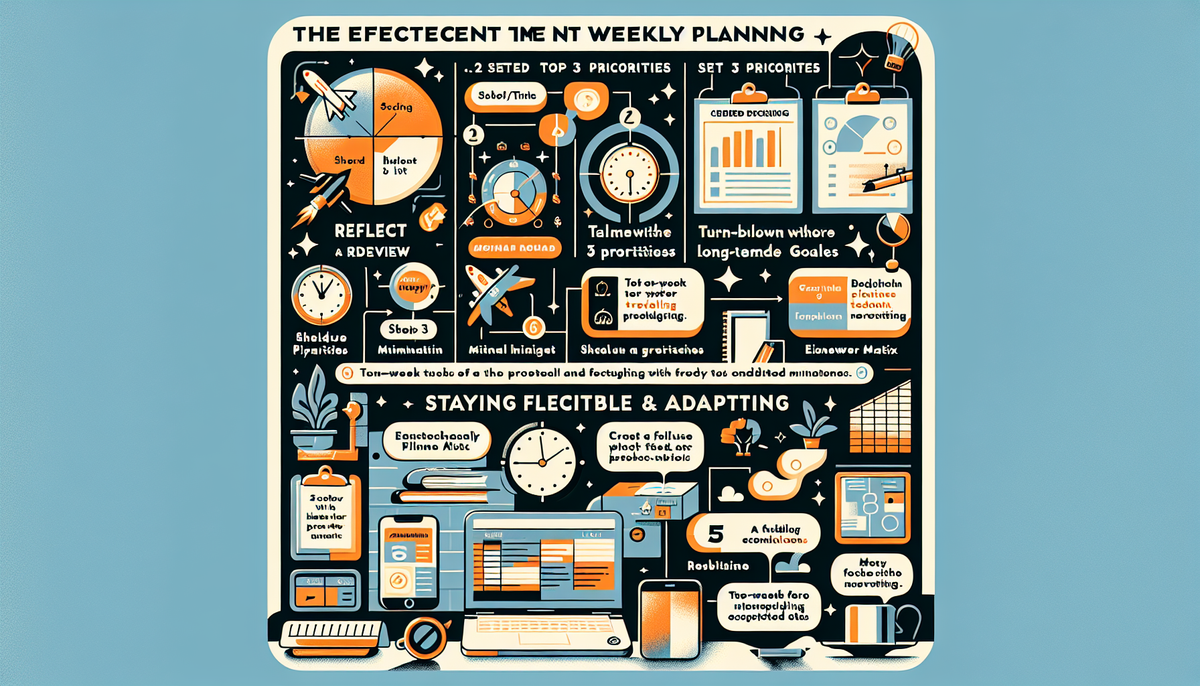
Weekly planning doesn’t need to be complicated to be powerful. Reflect and review. Set your Top 3 priorities. Break them down. Schedule everything. Create a focus-friendly environment. Stay flexible and adapt. Run this six-step routine for one week and notice the difference in your momentum, clarity, and focus at work. With consistent practice, it becomes your backbone for professional planning—simple, repeatable, and reliable. Start this Friday or Monday morning, and let next week be the first one that truly sticks.